
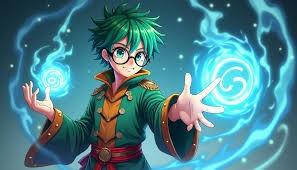
Anime art is more diverse than ever, and creators often want to explore multiple styles—from cel-shaded classics to chibi cuteness, retro aesthetics, or even painterly and futuristic designs. The AI Anime Image Generator allows users to easily produce a wide variety of anime styles with precision and creative control. Whether you are a professional illustrator or a hobbyist, mastering different styles can help diversify your portfolio and bring unique visuals to your projects.
The AI Anime Image Generator is designed with versatility in mind. Unlike traditional tools, it offers robust model selection and style customization, making it easier to generate consistent and high-quality outputs in any anime aesthetic. This guide will walk you through the various popular and classic styles you can achieve, the tools and settings Anifun provides, and how to get the most out of your creative process.
Popular Anime Styles You Can Generate
Understanding which styles are available helps creators plan their artwork effectively. Here are some trending and classic anime styles that Anifun fully supports:
Cel-Shading / Traditional Anime
- Description: Flat colors, sharp outlines, vibrant contrast, the classic Japanese anime base style.
- Usage: Comic panels, animation frames, and standard character designs.
- Tips: Adjust prompt details to emphasize lighting, shading direction, and color palette.
Retro / 80s-90s Anime
- Description: Nostalgic aesthetics with soft shading and muted colors reminiscent of vintage anime.
- Usage: Retro comics, illustrations, merchandise.
- Tips: Include terms like “1980s anime style” in prompts for authentic results.
Chibi / Super-Deformed
- Description: Oversized heads and small bodies with exaggerated expressions.
- Usage: Stickers, avatars, and fun merchandise.
- Tips: Use descriptors like “chibi, cute, round features” to guide the AI.
Watercolor / Painterly
- Description: Soft, flowing colors with a natural watercolor effect.
- Usage: Art prints, greeting cards, and decorative illustrations.
- Tips: Specify “watercolor style” and add details for blending and brush texture.
Studio Ghibli Inspired
- Description: Soft, dreamlike aesthetics with detailed environments and subtle emotions.
- Usage: Scene illustrations, fantasy concept art, book covers.
- Tips: Reference Ghibli-like elements or landscapes for guidance.
Modern Digital Anime
- Description: Bright colors, sharp light and shadow, digital polish with modern aesthetics.
- Usage: Web comics, game characters, digital art portfolios.
- Tips: Include lighting and color tone specifications for digital vibrancy.
Semi-Realistic Anime
- Description: Blends realism with anime proportions, giving characters more depth and detailed expressions.
- Usage: Concept art, character portraits, professional illustration projects.
- Tips: Highlight facial expressions, anatomy, and lighting for realism.
Cyberpunk / Futuristic
- Description: Neon lights, sci-fi cityscapes, and tech-heavy environments with cyberpunk vibes.
- Usage: Sci-fi illustrations, game art, promotional graphics.
- Tips: Specify neon lighting, futuristic outfits, or urban settings.
Minimalist / Flat Design
- Description: Simplified color blocks and lines with a modern clean look.
- Usage: Icons, UI elements, and simple digital illustrations.
- Tips: Emphasize “minimalist” or “flat design” in prompts for clarity.
Manga / Black & White Line Art
- Description: Classic black-and-white linework focusing on shading and detail.
- Usage: Manga pages, sketches, line art practice.
- Tips: Include “line art” or “manga panel” descriptors for accurate results.
How Anifun Supports Diverse Styles with Models and Lora
Anifun fully supports all these styles through its advanced AI architecture, offering flexibility and creative freedom.
20 Large AI Models
- Each model is specialized for certain aesthetics, ensuring high fidelity to style.
- Switch models to match the base style before fine-tuning prompts.
- Tip: Use Ghibli-inspired models for fantasy landscapes or cel-shaded models for classic anime.
Hundreds of Style Loras
- Loras are style overlays that allow you to mix and match visual characteristics.
- Combine lighting, texture, and style Loras to create completely unique anime aesthetics.
- Tip: Layer a watercolor Lora over a semi-realistic model for artistic character portraits.
Customizable Prompts
- Describe clothing, hair, expressions, and background elements for precise control.
- The AI interprets prompts consistently across different models and Loras.
- Tip: Use multi-style prompts when blending classic and modern aesthetics.
One-Click Generation
- Easily generate images in your chosen style with minimal effort.
- Beginner-friendly while retaining professional-grade output quality.
- Tip: Save prompts and Lora combinations to reproduce styles consistently.
Iterative Refinement
- Generate multiple variations and select the most suitable one.
- Refine prompts or adjust Lora combinations for style tweaks.
- Tip: Keep track of effective combinations for future projects.
Export Options
- High-resolution images suitable for print, digital products, or client delivery.
- Multiple formats supported to maintain style integrity.
- Tip: Use PNG for detailed illustrations and JPEG for web-based applications.
Why Anifun Excels in Multi-Style Anime Creation
Anifun offers a combination of rich resources, flexibility, and usability that makes it ideal for experimenting with anime styles.
Rich Style Library
- Offers models and Loras covering classic, modern, and trending anime aesthetics.
- Creators can explore new styles without relying on external tools.
- Tip: Browse the style library for inspiration and unique combinations.
Expandable and Flexible
- Lora system allows nearly unlimited style blending.
- New Loras can be added over time to expand creative possibilities.
- Tip: Regularly check for new Loras to keep your style fresh.
User-Friendly Interface
- Switch models, apply Loras, and edit prompts quickly and efficiently.
- One-click preview facilitates easy iteration across multiple styles.
- Tip: Beginners can focus on prompt crafting rather than technical setup.
Consistency Across Projects
- Maintains style fidelity for multiple images, ensuring cohesive results.
- Perfect for comics, games, or merchandise requiring visual consistency.
- Tip: Save your prompt and Lora combos to maintain consistency across batches.
Conclusion: Anifun Is the Best Choice for Multi-Style Anime Art
For creators seeking versatile and high-quality anime art, AI Anime Image Generator is the ideal platform. It supports classic and trending anime styles—from cel-shaded to chibi, retro to painterly, and even futuristic cyberpunk—allowing complete creative freedom. With robust model and Lora support, one-click generation, and high-resolution outputs, Anifun ensures that every project can achieve professional results efficiently and consistently.