
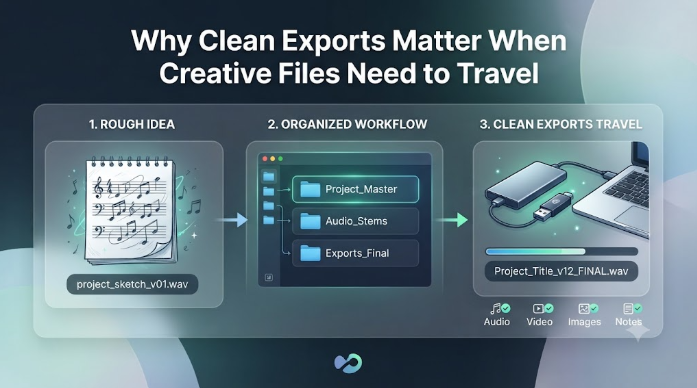
Creative files have a habit of moving. They start on one laptop, get touched on another machine, live in a download folder for a while, and then end up on a USB drive or SD card when it is finally time to share them.
That is usually when the small mistakes show up. A messy filename. A draft that was never labeled. A folder with three almost identical versions and no clear final copy. None of that feels urgent while you are still working. Once the file has to travel, though, the confusion becomes real.
I think that is why clean exports matter. They are not about being neat for the sake of it. They are about making sure the idea can move without losing its shape.
Start with the rough idea
A project does not need to be polished before it deserves organization. In fact, the earlier you separate rough ideas from final exports, the easier it becomes to keep the whole thing understandable.
For audio work, I like to begin with a quick sketch so I am reacting to something concrete instead of imagining the whole piece in my head. A tool like FreeMusicCreator.ai is useful for that because it helps turn a loose idea into something you can hear, compare, and revise.
That first draft is not the destination. It is only the point where the project starts to feel real.
Let lyrics do some sorting
Lyrics can help earlier than people expect. Even if the final project is not a vocal track, a lyric draft can tell you whether the idea feels direct, reflective, playful, or too crowded.
I sometimes use an AI lyrics generator when I want to test tone before I commit the rest of the project to a direction. The lines are not supposed to be perfect. They are supposed to make the shape of the idea easier to see.
Once that shape is clearer, naming files and versions gets much easier too.
Keep the export path boring
A clean export workflow is usually a dull one. Separate rough drafts, working versions, and final copies. Use names that tell you what the file is without opening it. Keep the last usable version in a place you can find again.
That sounds basic, but basic is what saves time when a drive has to be formatted for a wider range of devices or when a folder has to be passed to someone else. A clean folder is easier to trust than a clever one.
If you have ever opened a USB stick and found five files called final, final-2, and really-final, you already know the problem.
Travel-friendly files are easier to use
When creative files need to move, compatibility matters. That is true for audio, video, captions, images, and project notes. The more clearly you separate source files from deliverables, the less likely you are to break something when you copy it to another device.
This is one reason I like to think about exports as part of the creative process instead of the cleanup phase. The format, the filename, and the folder structure all influence whether the project still makes sense after it leaves the machine you built it on.
A project that travels well is usually a project that was understood well before it was shipped.
The final pass should be about transfer
Before you move a file to a drive, make the last check about usefulness, not inspiration. Ask whether the version is clear, whether the name is obvious, and whether the folder can survive being opened somewhere else later.
That habit sounds small, but it changes how reliable your work feels. Clean exports do not make the project more creative. They make the creative part easier to preserve.
And once the idea can move cleanly, the rest of the workflow usually feels a lot less fragile.