
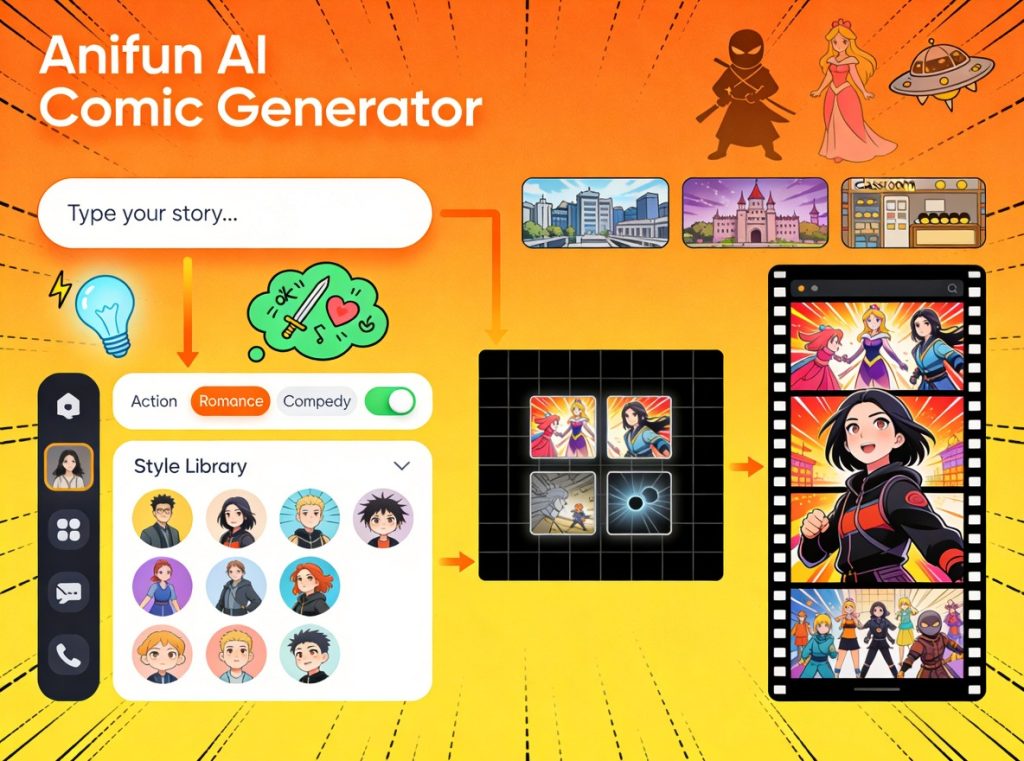
How to make comic with an AI generator
Creating a comic story has always been a dream for many people. You might have imagined characters, worlds, and dramatic scenes in your mind, but turning those ideas into actual comic pages often feels impossible without drawing skills, professional software, or years of practice. For a long time, comic creation was limited to artists who could both write stories and illustrate them by hand.
Today, that barrier is being reshaped by the AI Comic Generator. Instead of drawing every panel manually, creators can now rely on AI to translate written ideas into comic-style visuals. This new approach makes comic creation faster, more accessible, and far less intimidating. Among the available tools, Anifun AI Comic Generator stands out as a beginner-friendly and story-focused solution designed specifically for turning original ideas into comic stories.
By using an AI Comic Generator, you no longer need to choose between being a writer or an artist. Anifun allows you to start with an idea and build visual scenes step by step. In this guide, we will walk through what Anifun AI Comic Generator is, what makes it special, and—most importantly—how you can use it step by step to create your own comic story from scratch.
What Is Anifun AI Comic Generator and What Makes It Special
A Story-Focused AI Comic Generator
Anifun AI Comic Generator is an AI-powered tool that converts text descriptions into comic-style visuals. Unlike general image generators that focus on single images, Anifun is designed around storytelling. Each generation is treated as part of a narrative, making it easier to build scenes, panels, and sequences that feel connected.
The core idea is simple: you describe a scene, action, or character moment using text, and the AI generates a comic-style image that visually represents your idea. This makes Anifun AI Comic Generator especially suitable for creators who think in stories rather than sketches.
No Drawing Skills Required
One of the most important features of Anifun AI Comic Generator is accessibility. You do not need drawing experience, illustration software, or design knowledge. Everything starts with text. As long as you can describe what you imagine, the AI Comic Generator can help you visualize it.
This feature alone opens comic creation to writers, students, educators, and hobbyists who previously felt excluded from visual storytelling.
Built for Panel-Based Comic Creation
Comics are not just images—they are sequences of panels that guide the reader through a story. Anifun AI Comic Generator focuses on panel-style outputs rather than isolated artwork. This panel-oriented approach helps creators think in terms of scenes, pacing, and narrative flow, which are essential for comic storytelling.
Step-by-Step Guide: Creating Your Own Comic Story with Anifun
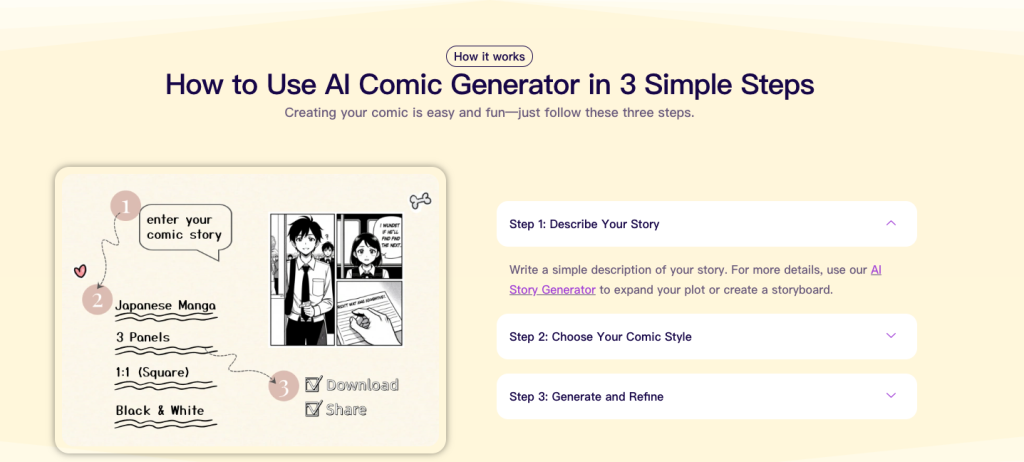
only three steps to make a comic
Step 1: Start With a Clear Story Idea
Before using Anifun AI Comic Generator, it helps to have a basic story idea in mind. This does not need to be a full script. It can be as simple as:
- A short character concept
- A dramatic moment
- The opening scene of a longer story
For example, you might start with: “A young explorer enters an abandoned city for the first time.” This single idea is enough to begin. The AI Comic Generator works best when you have a clear visual moment to describe.
Step 2: Define Your Main Characters
Characters are the heart of any comic. Before generating multiple scenes, think about who your main characters are. Consider their:
- Appearance
- Clothing style
- Personality
- Mood or emotional state
When using Anifun AI Comic Generator, you will describe these traits in text. Keeping character descriptions consistent across generations helps the AI maintain visual continuity. You do not need to write long descriptions—clarity matters more than length.
Step 3: Describe the First Scene
Now it is time to create your first comic panel or scene. Write a prompt that describes:
- Where the scene takes place
- Who is present
- What is happening
- The overall mood
For example: “A quiet, abandoned city at sunset. A young explorer wearing a coat and backpack stands cautiously at the city gate, looking ahead with curiosity.”
Once you submit this description, the AI Comic Generator will generate a comic-style visual that represents the scene.
Step 4: Review and Refine the Output
After generating the first panel, take a moment to review the result. Ask yourself:
- Does the scene match your idea?
- Does the mood feel right?
- Is the character presented the way you imagined?
If something feels off, simply adjust your description and generate again. One of the advantages of using an AI Comic Generator is rapid iteration. You are not locked into a single result.
Step 5: Continue the Story Scene by Scene
Once you are happy with the first panel, move on to the next moment in the story. Describe what happens next, keeping character descriptions consistent. Each new scene builds on the previous one, allowing you to form a complete narrative.
By repeating this process, you can create:
- Short comic strips
- Multi-panel scenes
- Longer comic stories
Anifun AI Comic Generator supports this gradual, story-driven workflow naturally.
Step 6: Experiment and Improve
As you become more comfortable, experiment with:
- Different scene descriptions
- Emotional shifts
- Action moments
- Dialogue-driven scenes
The AI Comic Generator becomes more powerful as you learn how to communicate your ideas clearly. Over time, your prompts will improve, and so will the results.
Where and How You Can Use Anifun AI Comic Generator
Creating Original Webcomics
Anifun AI Comic Generator is well suited for creating webcomics. Creators can publish episodic stories, test audience reactions, and refine narratives over time without committing to traditional illustration workflows.
Storyboarding and Concept Planning
If you plan to turn your story into an animation, game, or illustrated book later, Anifun works as an excellent storyboarding tool. The AI Comic Generator helps visualize key scenes early, making it easier to plan larger projects.
Educational and Instructional Comics
Teachers and educators can use Anifun AI Comic Generator to create visual explanations for lessons. Comics help simplify complex topics, and AI generation allows educators to focus on content instead of artwork.
Personal Creative Projects
Not every comic needs to be published. Some creators simply want to see their ideas come to life. Anifun AI Comic Generator supports personal creativity and experimentation, making comic creation a fun and accessible hobby.
Why Using an AI Comic Generator Changes the Creative Process
From Drawing to Directing
Traditional comic creation requires you to draw. With Anifun AI Comic Generator, your role changes. You become a director—guiding scenes, characters, and emotions through words. This shift empowers creators who are stronger in storytelling than visual execution.
Faster Feedback and Learning
Seeing your ideas visualized instantly helps you learn faster. You understand what works, what does not, and how small changes in description affect the final result. This feedback loop accelerates creative growth.
Lower Pressure, More Creativity
Because results are generated quickly and revisions are easy, there is less pressure to be “perfect.” This encourages experimentation, risk-taking, and creative exploration—key elements of storytelling success.
Conclusion: Turning Ideas Into Comics Has Never Been Easier
The Anifun AI Comic Generator provides a simple yet powerful way to create comic stories from your own imagination. By combining text-based storytelling with AI-driven visual generation, this AI Comic Generator removes the traditional barriers of drawing skills, time, and cost. Step by step, creators can turn ideas into scenes, scenes into stories, and stories into complete comics.
Whether you are a beginner exploring visual storytelling for the first time or a writer looking to see your ideas visually, Anifun AI Comic Generator offers an accessible and creative path forward. With the right idea and a few words, your comic story can finally come to life.