
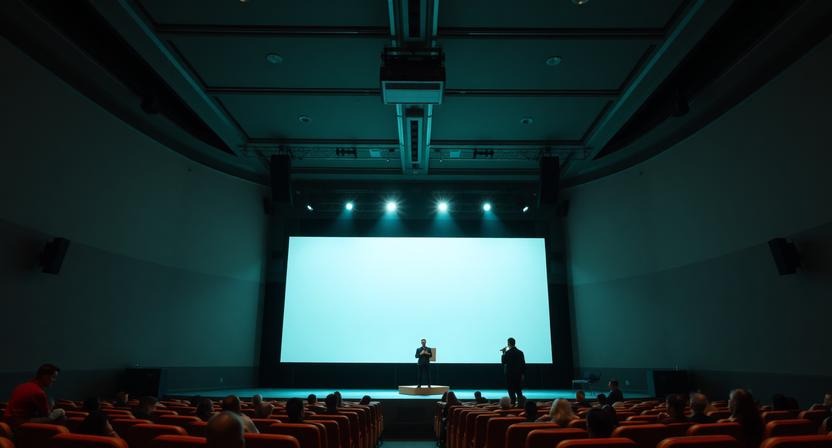
In a world where presentations shape decisions, inspire audiences, and define live experiences, choosing the right presentation software matters more than ever. By 2026, presentations are no longer limited to static slides shown in conference rooms.
They now power global webinars, hybrid church services, live-streamed events, classrooms, and large-scale productions. At the center of this evolution are two powerful tools with very different philosophies: ProPresenter and Microsoft PowerPoint.
While both aim to help people communicate visually, they are built for distinct environments and user needs. PowerPoint continues to dominate business and education, while ProPresenter has become a cornerstone for live events, worship services, and media-heavy productions. Understanding how these tools differ and where each excels is essential before deciding which one fits your goals in 2026.
This in-depth comparison explores features, usability, pricing, trends, and real-world applications, helping both beginners and experienced users make an informed choice.
Understanding the Core Purpose of Each Tool
What PowerPoint Is Designed For
Microsoft PowerPoint is one of the most widely used presentation tools in the world. Its primary goal is to help users create structured, linear slide decks that support spoken narratives. Over the years, it has become deeply embedded in corporate culture, education systems, and professional communication.
In 2026, PowerPoint is no longer just a slide editor. It is part of the Microsoft 365 ecosystem, offering cloud collaboration, AI-assisted design, and seamless integration with tools like Excel, Word, Teams, and Outlook. PowerPoint is designed for clarity, consistency, and accessibility, making it ideal for situations where content needs to be shared, reused, or collaboratively edited.
At its core, PowerPoint focuses on storytelling through slides, guiding audiences step by step through information.
What ProPresenter Is Designed For
ProPresenter takes a fundamentally different approach. Rather than focusing on slide decks, it is built for live presentation control. Developed by Renewed Vision, ProPresenter is designed to manage dynamic visual elements in real time, often across multiple screens and outputs.
Instead of relying on a single linear flow, ProPresenter uses layers—backgrounds, text, videos, live feeds, and overlays—that can be triggered independently. This makes it especially powerful in environments where timing, adaptability, and visual impact are critical.
By 2026, ProPresenter has firmly established itself in churches, conferences, concerts, theaters, and broadcast studios. It is not just a presentation tool, but a live production system that blends visuals, media, and messaging seamlessly during events.
Who Each Tool Is Best Suited For
Ideal Users for PowerPoint
PowerPoint is best suited for users who need reliability, familiarity, and broad compatibility. Common use cases include business professionals delivering sales pitches, reports, and internal presentations; teachers and professors presenting lessons in classrooms or online; students preparing academic or project-based presentations; and trainers or consultants conducting workshops and seminars.
Because PowerPoint files are universally recognized and easy to share, it excels in environments where presentations must be distributed, edited by multiple people, or viewed on different devices. Its low learning curve makes it accessible even for users with limited technical experience.
Ideal Users for ProPresenter
ProPresenter is designed for users who operate in live, high-pressure environments where visuals must adapt on the fly. Typical users include church worship teams displaying lyrics, scriptures, and sermon visuals; event producers managing conferences, concerts, and large gatherings; media teams handling live streaming and broadcast overlays; and production crews running multi-screen displays and stage monitors.
ProPresenter shines where presentations are part of a larger experience rather than the main focus. If visuals need to change instantly, sync with music, or display different content to different audiences, ProPresenter is built for that reality.
Feature Comparison in 2026
Slide Creation and Content Design
PowerPoint remains one of the strongest tools for slide design. Its templates, themes, animations, and charting tools make it easy to build polished presentations. The addition of AI-powered design suggestions helps users create visually appealing slides faster than ever.
ProPresenter supports slide creation as well, but its slide editor is optimized for live text rather than detailed design work. It excels at displaying large, readable text such as song lyrics, scripture passages, or key points. Design-heavy content is often created elsewhere and imported as media.
This difference highlights a core distinction: PowerPoint is optimized for content creation, while ProPresenter is optimized for content delivery.
Media and Video Handling
Video and motion graphics play a central role in modern presentations, and this is where ProPresenter truly stands out. It handles high-resolution video playback, live camera feeds, and layered motion backgrounds with ease. Media can be triggered instantly without interrupting the rest of the presentation.
PowerPoint supports embedded videos and animations, but video playback is still tied to individual slides. While this works well for structured presentations, it lacks the flexibility required in live production environments.
For events that rely heavily on visuals, ProPresenter’s media engine offers significantly more control and reliability.
Multi-Screen Output and Control
One of the biggest differences between ProPresenter and PowerPoint lies in how they handle multiple displays. PowerPoint offers Presenter View, allowing speakers to see notes while the audience sees slides. This is effective for meetings and lectures.
ProPresenter, however, allows complete control over multiple outputs simultaneously. Different screens can show entirely different content, such as a main audience screen with lyrics or visuals, a stage display with timers and cues, lobby screens with announcements, or a broadcast output with overlays and lower-thirds.
In 2026, as hybrid and multi-location events become standard, this level of output flexibility gives ProPresenter a major advantage in complex setups.
Live Streaming and Hybrid Events
Live streaming is no longer optional. PowerPoint integrates smoothly with tools like Microsoft Teams and supports screen sharing for webinars and virtual meetings. This works well for corporate and educational settings.
ProPresenter is built with live streaming in mind. It allows operators to create separate looks for in-person audiences and online viewers, manage overlays, and integrate live video feeds directly into the presentation. This makes it a powerful tool for churches and organizations running hybrid services or events.
Ease of Use and Learning Curve
PowerPoint’s familiarity is one of its greatest strengths. Most users can start creating presentations almost immediately, and advanced features are introduced gradually. Its interface has evolved, but it remains intuitive for beginners.
ProPresenter has a steeper learning curve. Understanding layers, triggers, props, and outputs takes time and practice. However, for users who regularly manage live events, this complexity translates into greater control and confidence during presentations.
In short, PowerPoint is easier to learn, while ProPresenter rewards deeper expertise.
Collaboration and Workflow
Collaboration is central to PowerPoint’s design. Multiple users can edit the same presentation simultaneously, leave comments, track changes, and access files from anywhere. This makes it ideal for team-based workflows.
ProPresenter supports cloud syncing of libraries and assets, ensuring consistency across teams and locations. While it does not offer real-time co-editing in the same way PowerPoint does, it is well-suited for environments where content is prepared centrally and executed live by operators.
Compatibility and Ecosystem Integration
PowerPoint benefits from unmatched compatibility. PPTX files can be opened on almost any device, and PowerPoint integrates seamlessly with email, cloud storage, and collaboration tools.
ProPresenter focuses on integration with production hardware and software. It works well with video switchers, audio systems, and remote control apps. While it can import PowerPoint files, the process is not always perfect, and many users prefer exporting slides as images or PDFs for best results.
Pricing and Overall Value
PowerPoint is typically included in Microsoft 365 subscriptions, making it highly cost-effective for businesses and individuals already using Microsoft tools. Its value increases when paired with the rest of the Office suite.
ProPresenter is priced as a professional production tool. Its subscription cost is higher, especially when accounting for additional features or multiple licenses. For organizations that rely on its advanced capabilities, the investment makes sense. For casual users, it may be more than they need.
Trends Shaping Presentation Software in 2026
Presentation tools continue to evolve alongside changing audience expectations. AI-assisted design and content generation are becoming standard, especially in tools like PowerPoint, helping users create professional slides faster.
Hybrid and remote events are now the norm rather than the exception. Tools that handle both in-person and online audiences smoothly have a clear advantage.
There is also a growing emphasis on immersive experiences. ProPresenter’s ability to integrate visuals, video, and live elements positions it well for this future, particularly in event-driven environments.
Which Tool Should You Choose in 2026?
The choice between ProPresenter and PowerPoint is not about which tool is objectively better. It is about which one aligns with how you present.
Choose PowerPoint if you need a reliable, easy-to-use tool for business, education, or structured presentations that are shared and edited frequently.
Choose ProPresenter if you manage live events, need real-time control over visuals, or require multi-screen outputs and media-heavy presentations.
Many organizations even use both, relying on PowerPoint for content creation and ProPresenter for live delivery.
Conclusion
In 2026, presentations are no longer one-size-fits-all. PowerPoint and ProPresenter represent two distinct approaches to visual communication. One prioritizes structure, collaboration, and accessibility. The other prioritizes flexibility, control, and live experience. Understanding your audience, environment, and goals is the key to choosing the right tool. When used in the right context, both PowerPoint and ProPresenter remain among the most powerful presentation solutions available today.