
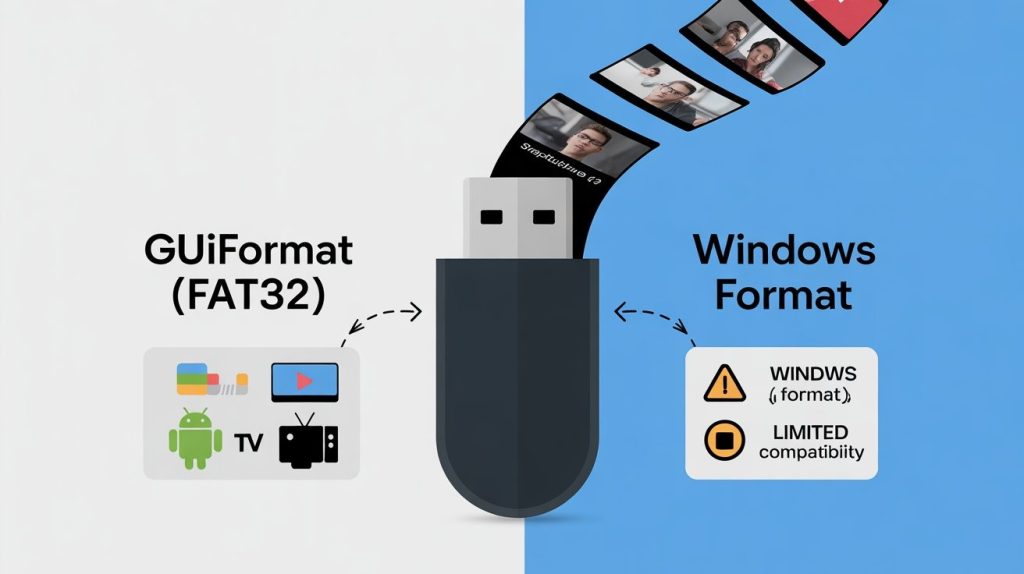
Managing Snaptube files efficiently requires more than just sufficient storage space. The file system used on USB drives and external storage plays a critical role in compatibility, playback stability, and cross-device usability. Two commonly used formatting options on Windows are the built-in Windows Format tool and the lightweight third-party utility GUIFormat. While both can format storage devices, their effectiveness for handling Snaptube video files differs significantly.
Understanding Snaptube File Storage Needs
Snaptube Baixar allows users to save videos and audio content in multiple resolutions and formats for offline use. These files are often transferred to USB drives for playback on Smart TVs, Android TV boxes, car infotainment systems, or older media players. Most of these devices rely on the FAT32 file system due to its broad compatibility. Therefore, the ability to properly format storage in FAT32—especially on large USB drives—is essential for seamless Snaptube file usage.
Windows Format Tool: Built-In but Limited
The Windows Format tool is the default option available within File Explorer. It is convenient, requires no additional software, and supports quick formatting for common file systems such as NTFS and exFAT. However, when it comes to FAT32, Windows imposes a major limitation: it does not allow FAT32 formatting for drives larger than 32GB.
For Snaptube users, this restriction becomes a bottleneck. High-resolution videos can quickly fill smaller drives, making larger USB devices a necessity. While Windows Format works well for NTFS or exFAT, these file systems are not universally supported by all playback devices, particularly older TVs and embedded systems.
GUIFormat: Designed for Large FAT32 Drives
GUIFormat is purpose-built to overcome the FAT32 size limitation imposed by Windows. It enables users to format large USB drives—64GB, 128GB, or even higher—in FAT32 without complexity. This makes it particularly useful for storing Snaptube files that need to be accessed across multiple platforms.
The tool features a simple graphical interface and focuses on a single function: reliable FAT32 formatting. For Snaptube users who prioritize device compatibility over advanced file permissions or encryption, GUIFormat provides a focused and effective solution.
Compatibility Advantages for Snaptube Files
One of the main reasons GUIFormat is preferred over Windows Format for Snaptube files is device compatibility. FAT32-formatted drives created with GUIFormat are recognized by:
- Smart TVs
- Android TV and TV boxes
- Car media systems
- Gaming consoles
- Older DVD and media players
In contrast, drives formatted with NTFS or exFAT using Windows Format may fail to load or display Snaptube videos on some of these devices. FAT32 remains the most universally accepted file system, especially in consumer electronics.
File Size Considerations and Practical Use
A common concern with FAT32 is the 4GB individual file size limit. While this limitation exists, most Snaptube downloads—especially videos compressed for mobile or offline viewing—remain well within this boundary. For typical Snaptube usage, FAT32 is rarely a constraint.
Additionally, FAT32 offers faster read performance on many low-power devices, resulting in smoother playback and quicker file access compared to NTFS on the same hardware.
Stability and Error Reduction
Drives formatted with GUIFormat tend to exhibit fewer recognition errors when connected to non-Windows devices. This stability is important for Snaptube users who frequently move files between PCs, smartphones, and external playback systems. Improperly formatted drives can lead to corrupted folders, missing media files, or playback failures.
Windows Format, while reliable for general use, is optimized primarily for Windows ecosystems. When files are meant to travel outside that environment, its limitations become more noticeable.
Which Option Is Better for Snaptube Users?
For users who only store Snaptube files on a Windows PC, the Windows Format tool may be sufficient. However, for anyone who transfers Snaptube media to external devices, GUIFormat offers a clear advantage. Its ability to format large drives in FAT32 ensures maximum compatibility, fewer errors, and broader device support.
In practical terms, GUIFormat aligns better with how Snaptube content is actually used—offline, portable, and across diverse hardware environments.
Final Verdict
When comparing GUIFormat vs Windows Format for Snaptube files, the deciding factor is compatibility. Windows Format is convenient but limited, especially for large drives. GUIFormat, on the other hand, provides a focused solution that supports FAT32 formatting at scale, making it ideal for storing and transferring Snaptube content.
For users who value smooth playback, universal access, and reliable file handling, GUIFormat is the more effective choice for managing Snaptube files across multiple devices.