
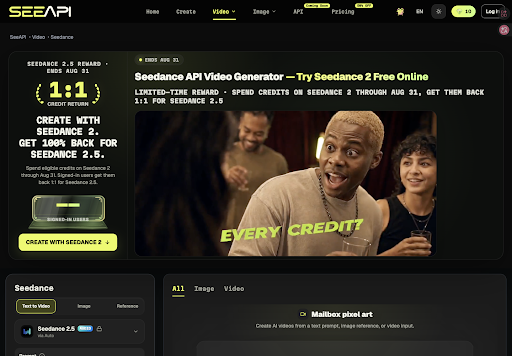
Format help clips rarely die from weak voiceover. They die when the capacity string on the approved dialog screenshot turns into a different number by frame three, and the comments thread spends the night arguing which limit the tool actually enforces. The Seedance API workspace exists for that failure: attach the signed dialog still, ask for a short camera move, and reject the clip the moment the FAT32 label no longer matches the help doc.
Tool maintainers updating weekly help pages already know the cost. A wrong capacity next to a step-by-step caption becomes a correction ticket, a forum complaint, and a release window that closes while someone hunts the original dialog capture. SeeAPI keeps generate and compare in one path so the maintainer can test Seedance 2.0 now and still hold the same still when Seedance 2.5 preview moves closer on the model matrix.
Capacity String Warp Kills The Help Clip
Utility explainers look harmless in a muted timeline. The dialog box turns, the light catches the label, and the cut feels lively. Hold that same frame against the maintainer screenshot and the printed capacity line often smears into a cousin string — extra digit, missing unit, or a FAT32 badge that never existed on the capture legal approved.
On the live doc desk, writers usually catch the error only after the heading is written and the download link is pasted. That single miss sends the package back to rework. The afternoon is no longer about camera taste. It is about whether the clip can defend the limit the site already published.
Power users read dialog chrome the way accountants read ledgers. They pause. They zoom. They compare the printed line to the KB article. If the motion invents a new capacity, the post cannot ship, no matter how smooth the orbit looked at second two.
Still captures usually include a tiny cluster — file system badge, byte count, a warning icon — that readers treat as proof the screenshot is real. When motion melts that cluster into a gray smudge, the forum does not say nice lighting. It asks whether the maintainer reviewed a mockup, a render, or a cousin dialog from the same tool family. That question burns more staff time than another generate click.
In our pipeline the invented capacity string is the usual failure: a help doc shows 32 GB but the clip reads 320 GB by frame three. The compare step exists so that mismatch dies before the download button goes live.
Dialog Still Beats Cinematic Orbit Prompts
Adjective prompts ask the model to guess which dialog is on screen. Cinematic orbit, dramatic push-in, premium utility glow does not name the FAT32 limit, the warning icons, or the safe zone around the OK button. The model then paints a prettier dialog. Pretty is how wrong numbers get into comments.
The object of work is the still the doc team already signed: dialog frame, readable capacity line, no cursor over the type. Seedance 2.0 lists multimodal reference driving from image, video, and audio, plus character consistency suited to keeping a printed panel stable while the camera moves. That only helps if the still is attached before anyone writes a mood paragraph.
Reject Frames Where The Label Smears
The pass rule is blunt. Scrub to the frame where the capacity label is largest. If a colleague cannot read the same string as the help doc, the clip is discarded. Soft gloss on the window chrome is allowed. A warped digit, a melted warning icon, or an invented second line is not.
The thumbnail can look clean while the largest capacity frame already shows a cousin string. Do not debate cinematic mood after that compare. Fix the reference crop or kill the cut.
Four Step Fast Quality Lite Flow For Maintainers
The published flow stays linear: choose Fast, Quality, or Lite, write a motion prompt, attach the dialog still, generate, then compare. SeeAPI keeps those modes in one workspace so the doc desk does not open a second vendor just to test a five-second orbit around a format dialog.
Utility maintainers already juggle release notes, forum threads, and a comments culture that treats a misread gigabyte line as a broken product. The intake has to be boring enough that a night editor can rerun it without asking which cinematic adjective was fashionable that morning. Attach the dialog, name the allowed move, generate, compare. If the label fails, the night editor should see the reject in the filename, not in a support ticket at midnight.
Seedance 2.5 appears on the matrix as a next-gen preview — a north star for longer explainers, not a reason to skip the locked screenshot today. The four steps do not change because a preview row exists. SeeAPI lists 1.5 and 2.0 for live online tests alongside that preview row, so maintainers can train the pass rule on shipping models while watching where the preview line is headed.
Choose Mode Before The Motion Prompt
Pick the tier before the prompt. Fast covers a short pass to prove whether the capacity string survives a lean-in. Quality waits until the label lock already passed. Lite covers loops that only need a logged reject, not a homepage embed.
Compare Output Against The Signed Dialog Capture
Run the first pass short. Five seconds is enough to see whether the printed line holds when the camera leans in. Hold the compare view open next to the original dialog capture. The question is not whether this feels like a tutorial. The question is whether this frame can sit under the same limit string the KB uses.
Name the export with the limit string and the reject reason: FAT32-32GB-label-smear, not final_v7. In our pipeline that filename is the only way a later maintainer knows why a glossy clip never shipped. Without that note, the next weekly doc repeats the same invented capacity.
Path A Versus Path B Before Any Camera Move
Most weekly help updates choose between locking the dialog first or chasing motion first. The table below is the split maintainers use before spending credits on orbit tests.
| Path | First move | Typical outcome |
| A — Lock still first | Attach signed dialog screenshot, allow only a short push-in, compare every frame to the KB string | Reject notes beside the file; wrong capacity never reaches the help page |
| B — Motion first | Write cinematic orbit prompt, attach dialog later or skip compare | Invented capacity in frame three; forum thread reopens; doc pulled for rework |
Path A costs one boring afternoon. Path B costs the afternoon plus the thread plus the reshoot. Credits never expire on the platform, so a logged Fast miss on Path A is cheaper than a published wrong limit on Path B.
Free tier gives ten watermarked generates per month; paid tiers strip the watermark for commercial help pages. Neither tier replaces the dialog still. A watermark-free clip with an invented FAT32 string still fails editorial.
Where Preview Models Still Fail Without The Dialog
Seedance 2.5 preview on the matrix does not invent a second FAT32 label or replace a locked dialog still. Preview rows show where longer explainers may go; they are not a substitute for compare against the signed screenshot. When the capacity string warps, no preview tier clears editorial.
Before a format explainer goes live, run the clip against the signed dialog capture. If the capacity line cannot be read on the largest label frame, the cut stays off the help site. SeeAPI compare step is there so that decision happens before headings and download blocks lock.
Spend time on the lock now. Keep the still. Write the reject. Let later credits retest the same dialog instead of inventing a prettier box that the comments will catch in an hour.