
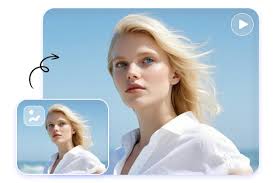
Visual media is more significant than ever in the modern world. You are either a content creator, marketer, student, or business owner, and you realize the power of video content. However, creating videos may be time-consuming, laborious, and even costly in terms of software. That is where free AI Image-to-video tools come in. These applications can help you transform ordinary photos into moving videos with just a few taps. And one that is rapidly expanding in this area is vidguru.ai.
This article will describe what free image-to-video tools are, how they operate, why people are using them, and how you can create videos in a short and easy time with the help of vidguru.ai.
What Is a Free AI Image-to-Video Tool
Free AI image-to-video is an online application that uses artificial intelligence to transform still photos into video clips. You do not need to edit your videos as the AI analyses your picture and brings it to life. It can offer a flow, effects, transitions, animation, or even entire scenes.
You upload your photo and choose a style or animation, and the tool will do the rest. It will take you a few seconds before you are in possession of a high-quality video on your social media, presentations, advertisements, or personal projects.
How Does Image-to-Video AI Work
The image-to-video technology is a machine learning model with high-level AI usage. These models perceive objects, grounds, textures, depth, and movement patterns. The process is quite simple. Here is an explanation:
- Image Analysis
The AI studies the photo you post first. It recognizes each of the subject, background, lighting, and major visual points.
- Motion Prediction
The system identifies the likelihood of the movement of the objects in the image. Using the example of having a picture of a person, the AI can make the face, eyes, hair, or clothes move. In the case of a scenery picture, the AI will have the capability of moving clouds, water, leaves, or light.
- Scene Expansion (Optional)
Other sophisticated AI solutions can enlarge the background or add several details that were absent in the original image.
- Video Rendering
The AI merges the motion frames afterwards to create a smooth video after creating motion frames. You have an MP4 or other video file in a few seconds.
This is all done behind the scenes, hence no technical ability is required.
Why Do People Use Free AI Image-to-Video Tools?
The creators and professionals love using AI to create videos for several reasons:
- Saves Time
Even the creation of a short video can take hours when it is done manually. AI technologies transform pictures into videos within a few seconds.
- Free of Cost
Most of such tools, such as vidguru.ai, have free options to begin with.
- Great for Social Media
The use of short animated clips created out of pictures does quite well on Instagram Reels, TikTok, Facebook, and YouTube shorts.
- Boosts Creativity
AI introduces new possibilities of creativity. You can transform works of art into animations, create stories out of drawings, or animate the image of products to market them.
- Perfect for Business
AI image-to-video conversion is applied by companies in advertisements, product demos and presentations, and explainer videos.
Who Can Benefit From Image-to-Video AI
AI image-to-video tools can assist practically any person:
- YouTube users and creators who prefer viral videos.
- Digital marketers who require fast promotional videos.
- A student is making school projects.
- People who own small businesses and seek cheap video material.
- Artists who desire to bring their art to life.
- Camerawomen seek to provide movement to a photograph.
- Online shops that desire product motion videos.
- YouTubers who require visual materials quickly.
These tools can save you time and money in case your work is related to visuals.
Introducing vidguru.ai – Your Easy AI Image-to-Video Tool
Vidguru.ai is a site that is easy to use because you can quickly create videos from images at no cost. It is constructed both by amateurs and specialists. Unlike most tools, which demand complicated settings or use a paid upgrade, videoguru.ai is concerned with simplicity and speed. This is the reason why vidguru.ai is unique:
- Simple Interface
The platform is user-friendly and clean. You simply upload your picture, select the animation mode, and press generate. No complicated options.
- Free to Start
vidguru.ai enables novices to make image-to-video animations free of charge, which is why it is ideal to start with this tool when one wants to test the use of AI.
- Fast Results
The videos are also created in a few seconds, which saves time, and you are able to test with different styles.
- Multiple Animation Styles
You can choose from:
- Cinematic zoom effects
- Parallax motion
- Face animations
- Artistic animations
- Glitch effects
- Smooth pan movements
That leaves you in complete charge of the appearance of your video.
- High-Quality Output
The videos produced on the site vidguru.ai are clear, stable, and can be used on social media or in business.
- No technical skills are needed.
It does not require editing expertise or installation of software. Everything happens online.
What You Can Create
With the help of videoguru.ai, you can convert almost any sort of image into a moving video:
- Portraits- animated faces, blinking eyes, movement of the head.
- Landscape photographic works- clouds in motion, running water, and floating lights.
- Photo of products- will be rotated, zoomed in, floating movement.
- Cartoon images- movement of images or animation of the background.
- Logos- animated logo unveil videos for the brand.
- Artwork (or painting)- moves living paintings with additional motion.
This is one of the reasons that makes it be used for personal, creative, and business purposes.
Final Thoughts
Free AI image to video software is changing how individuals make content. They facilitate video creation, which is easy, quicker, and accessible. An AI animation can be applied to your projects, no matter whether you are a creator, a business owner, a student, or just a lover of visuals.
You do not require any editing software or costly software with a platform such as vidguru.ai. It is possible to transform any image into a dynamic video within seconds and share it everywhere online.
In case you are willing to test new concepts, improve the content quality, or spend less time on recording videos, a free image-to-video AI-based tool will be the best option to start with, particularly using vidguru.ai.